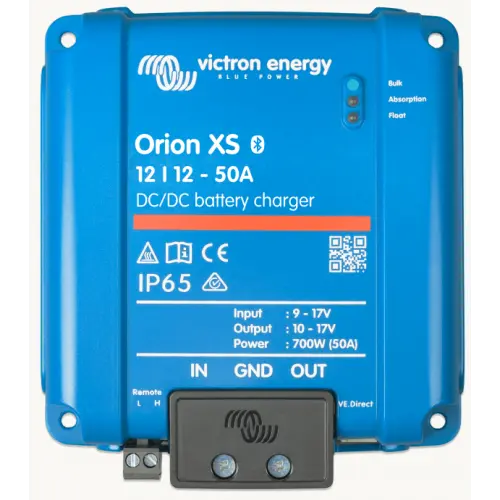
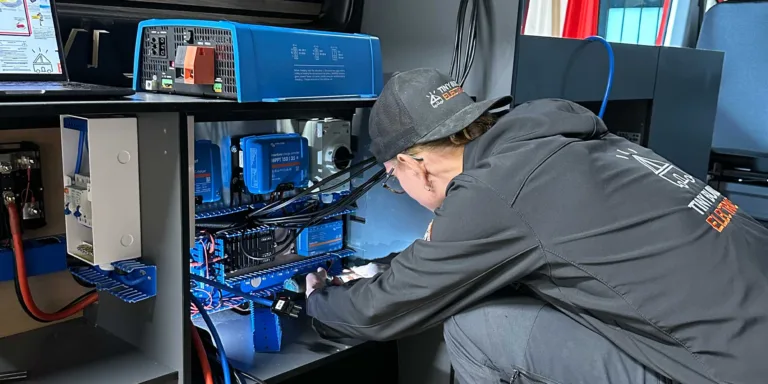
A battery monitor measures every amp going into and out of your leisure battery through a shunt on the battery negative. So it shows a true state of charge, not a guess from voltage. For most campervans that’s a Victron SmartShunt, read on your phone, or a BMV-712, which adds a display, alarm and relay. Set it to your battery type and capacity. Batteries with CAN bus talk to the GX instead, and only need a SmartShunt when they have no CAN.
- Shunt on the battery negative, nothing bypassing it
- CAN bus batteries feed the GX directly; others need a SmartShunt
- SmartShunt or BMV-712 when you need a shunt-based monitor
- Set it up for lithium, not the factory defaults
- Cerbo GX and VRM for remote checks
A voltmeter tells you very little about a lithium battery. A monitor tells you how full it is, how long it will last and what it has been doing. This guide covers how one works, which Victron model suits your van and how we set it up. We fit Victron monitors with Fogstar lithium as standard, and we’re an Authorised Victron Energy Installer.
On this page 10 sections
- What does a battery monitor do?
- How a 12V battery monitor works: the shunt
- CAN bus or SmartShunt: which battery monitor path?
- Victron SmartShunt vs BMV-712: which battery monitor?
- Leisure battery monitor settings for lithium
- Battery monitor or BMS: what’s the difference?
- Seeing it on your phone, a Cerbo GX or VRM
- Larger battery banks: the Lynx Shunt
- Fitting a battery monitor: workshop or Self-Build
- Battery monitor FAQs
What does a battery monitor do?
A battery monitor counts the current going in and out of the battery. It then adds that up over time as amp hours. From that, it also works out state of charge, time to go and a history of how the battery has been used.
It’s not simple sums, though. A battery gives back less than you put in, and its usable capacity falls at high discharge rates. The monitor allows for both, which is why its settings matter so much.
That history is more useful than it sounds. It records the deepest discharge, the number of charge cycles and the days since the last full charge. So if a battery ever seems short of capacity, the data is there to look at.
It’s also far more precise than a voltmeter.
Why voltage alone misleads with lithium
A lithium battery holds a very steady voltage across most of its discharge, with little drop until it is nearly empty. Victron’s own lithium training puts it simply: lithium allows a large discharge with no significant voltage drop. The Victron SmartShunt manual then says state of charge is the best way to monitor the battery. So a voltage reading alone says little about how much you have left.
Lead acid was more forgiving, because its resting voltage tracks charge more closely. With lithium, battery monitoring by current, or by a CAN-bus battery that reports its own state of charge, is the reliable way to know where you stand.
How a 12V battery monitor works: the shunt
A 12V battery monitor works with a shunt. That’s a precision resistor that sits on the battery negative. All current passes through it, so the monitor can read the tiny voltage across it. Ohm’s law then gives the current, because the resistance is known.
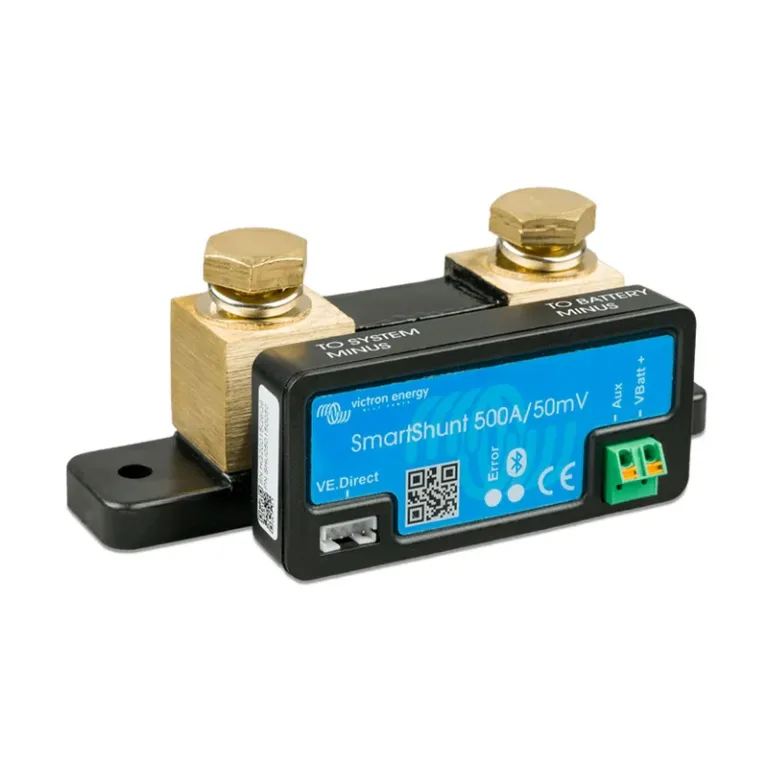
Everything goes through the shunt
The battery negative goes to the battery side of the shunt, and nothing else connects there. Instead, every load, charger, solar controller and inverter connects to the system side. That includes the MultiPlus if you have one. The chassis bond must always be on the system side of the shunt, never the battery side.
If anything bypasses the shunt, the monitor can’t see that current. The state of charge then reads higher than it really is.

Where the chassis bond fits
The chassis bond is “a protective bonding connection from the installation’s main earthing terminal to the metalwork of a vehicle”. However, it isn’t a 12V return. As our earthing and bonding guide puts it, “Every 12V circuit has its own negative return, so the chassis never carries 12V current.” Keep that bond on the system side of the shunt.
We fit the shunt and the monitor’s supply cable fused as the manufacturer specifies. We don’t give cable sizes or fuse ratings in a guide, because they depend on the whole system.
CAN bus or SmartShunt: which battery monitor path?
A SmartShunt used to go into nearly every system we built. That is less common now. Most of the batteries we fit today, including Fogstar Drift Gen2, talk to the Victron GX over CAN bus. The battery’s own BMS then reports voltage, current and state of charge straight to the Cerbo, and that figure can show on the Victron touchscreen.
Batteries without CAN bus still need a SmartShunt (or a BMV-712). The shunt is what gives you accurate state of charge and the display on the Victron touchscreen when the battery itself cannot talk to the GX.
In short: use the battery’s CAN data when it has it, and use a SmartShunt when it does not. Mixing both without picking one battery monitor on the GX is a common way to confuse the display.
Victron SmartShunt vs BMV-712: which battery monitor?
Both are Victron monitors and both measure the same way, through a Victron shunt. The main difference, though, is how you read them and what else they can do.
 SmartShunt |
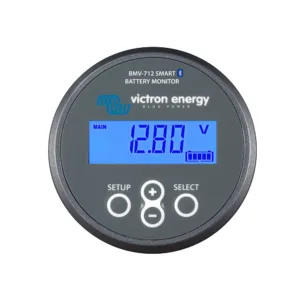 BMV-712 Smart |
|
|---|---|---|
| Display | None. Your phone is the display (VictronConnect via Bluetooth) | Round display on a panel, plus Bluetooth |
| Programmable visual and audible alarm | No | Yes |
| Programmable relay | No | Yes |
| Second battery, midpoint or temperature input | Yes | Yes |
| VE.Direct port for a GX device | Yes | Yes |
| Wiring | Everything at the shunt | Shunt plus a cable run to the display |
What you see on screen
To begin with, the main screen is the same on both. You get state of charge, battery voltage, current, power and time to go. If the auxiliary input is in use, you also see the starter battery voltage, battery temperature or midpoint reading. A history tab holds the deepest discharge, cycle count and days since the last full charge.
When the SmartShunt is the better choice
The Victron smart shunt is an all in one monitor without a display. Victron calls it a good alternative to a BMV “where less wiring and clutter is wanted”. In a van that’s most builds. It’s also the shunt Victron itself steers you to when you want a tidy board.
We still fit a SmartShunt whenever the leisure battery has no CAN bus, so the GX and the Victron touchscreen have an accurate state of charge. With a SmartShunt we often use the second input to monitor the vehicle’s starter battery as well.
When the BMV-712 is worth it
The BMV-712 is the battery monitor Victron Energy makes with its own display. Choose it if you want to see the battery on the wall without picking up your phone. It also has an audible alarm. Its programmable relay can switch off non critical loads or start a generator, but only if it’s wired and set up to do that.
That suits owners who share the van with someone who won’t use the app. It also suits anyone who wants a loud warning before the battery gets low.
Want to compare sizes and versions? See all SmartShunt and BMV models, or browse the shop’s Victron battery monitoring range.
Leisure battery monitor settings for lithium
A leisure battery monitor is only as good as its settings. Out of the box, Victron’s defaults suit lead acid batteries, so a lithium bank needs changes.
The essential settings in the SmartShunt manual are:
- battery capacity, in amp hours
- charged voltage
- state of charge, or start synchronised
- what the auxiliary input is used for, if anything
For lithium, the manual adds charged voltage, tail current, Peukert exponent, charge efficiency and discharge floor.
Two of those are easy to miss. Discharge floor is the level that time to go counts down to. Victron suggests a lower floor for lithium than for lead acid. The Peukert exponent corrects for heavy discharge, and lithium copes with that far better than lead acid, so it’s set much lower.
Why the monitor resets to 100%
The monitor doesn’t know when the battery is full. Instead, it has to work it out. It sets 100% once the voltage reaches the “charged voltage” setting and the current falls below the “tail current” for the “charged detection time”. Victron calls this synchronising.

So if the charger stops before those conditions are met, the monitor never syncs. As a result, the reading drifts over a few days. That’s why settings have to match the charger as well as the battery. Charge sources matter here too, whether that’s DC-DC charging from the engine or solar panels for campervans.
Signs the wiring or settings are wrong
Victron’s manual lists a few faults that tell you something isn’t right. The most common issue we see on vans is a gap between the BMV or SmartShunt reading and the battery’s own app.
State of charge reads too high.
A load or charger is wired to the battery side of the shunt, so the monitor can’t see it.
State of charge always shows 100%.
The negative cables in and out of the shunt may be the wrong way round.
A current reading with nothing switched on.
The zero current calibration needs doing, with every load and charger truly off.
It never reaches 100%.
Charged voltage, tail current or charged detection time don’t suit the charger.
Monitor and battery app disagree.
Capacity, charged voltage or wiring don’t match the Fogstar figures, or the GX is listening to more than one monitor.
In other words, none of these is a fault with the monitor itself. Each one is a wiring or setup job.
Stop the monitor and the battery app disagreeing
Use these quick checks. Each one comes from the Victron SmartShunt manual or the Fogstar Drift figures we set from the datasheet.
- Match battery capacity to the datasheet. Enter the Fogstar amp-hour figure in VictronConnect, not a round guess. The SmartShunt manual starts with this setting.
- Set charged voltage and tail current to the Fogstar figures. Fogstar’s Drift RANGE manual lists bulk charge at 14.2 V to 14.4 V. Victron then wants charged voltage just below the charger’s absorb voltage, with tail current high enough that a real end of charge still syncs.
- Keep every load and charger on the system side of the shunt. The SmartShunt manual’s incomplete-current fault is almost always a bypass on the battery side.
- Sync to 100% after a full charge. Once charged voltage, tail current and charged detection time are met, the monitor sets 100%. If it has not synced, use the manual synchronise action after a proven full charge.
- Give the GX one battery monitor. On the Cerbo, pick a single source: the CAN-bus battery or the SmartShunt. Do not leave both fighting to own state of charge on the touchscreen.
Settings for a Fogstar Drift
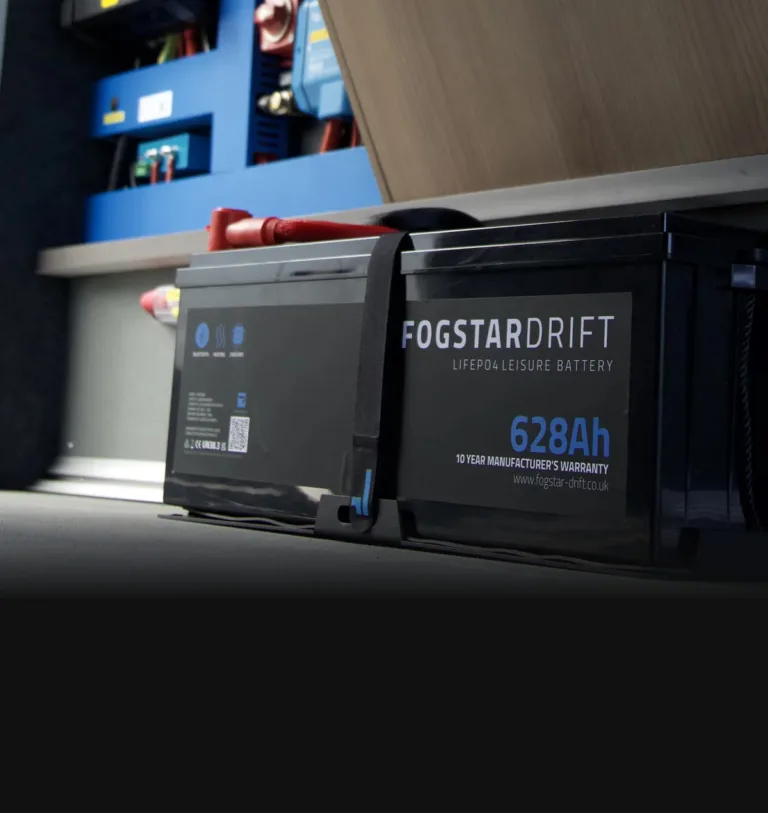
Our standard battery is the Fogstar Drift. We set the monitor to the battery maker’s figures from the Fogstar datasheet, not to generic lithium values.
Battery monitor or BMS: what’s the difference?
A lithium battery has its own battery management system, or BMS. The BMS protects the cells. For example, it can disconnect them if voltage, current or temperature goes outside safe limits.
A battery monitor does a different job. Instead, it measures and reports how the bank is being used. It doesn’t disconnect anything on its own. Most lithium vans have both: the BMS to protect the battery and the monitor to show you what’s happening. On CAN-bus batteries the BMS can also feed that report to the GX.
For more on chemistries, see our guide to campervan leisure batteries or the range of lithium leisure batteries.
Seeing it on your phone, a Cerbo GX or VRM
The SmartShunt and BMV-712 both talk to the VictronConnect app by Bluetooth. Both also connect to a GX device over VE.Direct.

Bluetooth has limits in a van. Victron notes that a vehicle’s metal chassis can cut the range a long way. Its fix is to add a VE.Direct Bluetooth dongle and switch off Bluetooth in the SmartShunt.
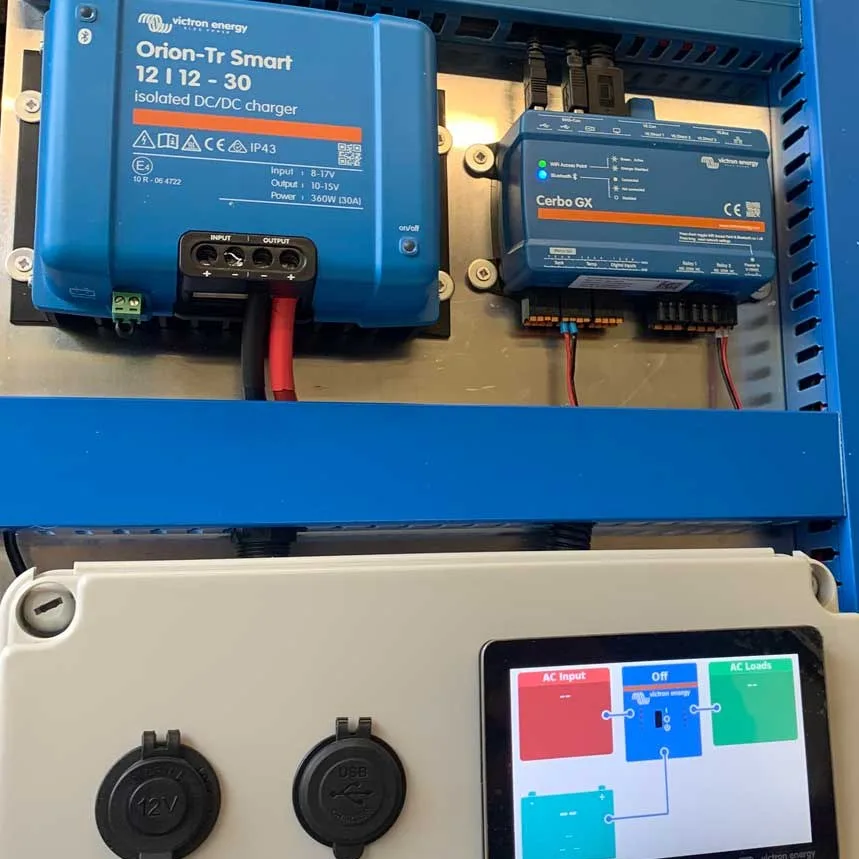
A Cerbo GX pulls the monitor, chargers and inverter data into one place. It also links the van to Victron’s VRM portal, so you can check the battery from home. We use that for our remote monitoring service.
Larger battery banks: the Lynx Shunt
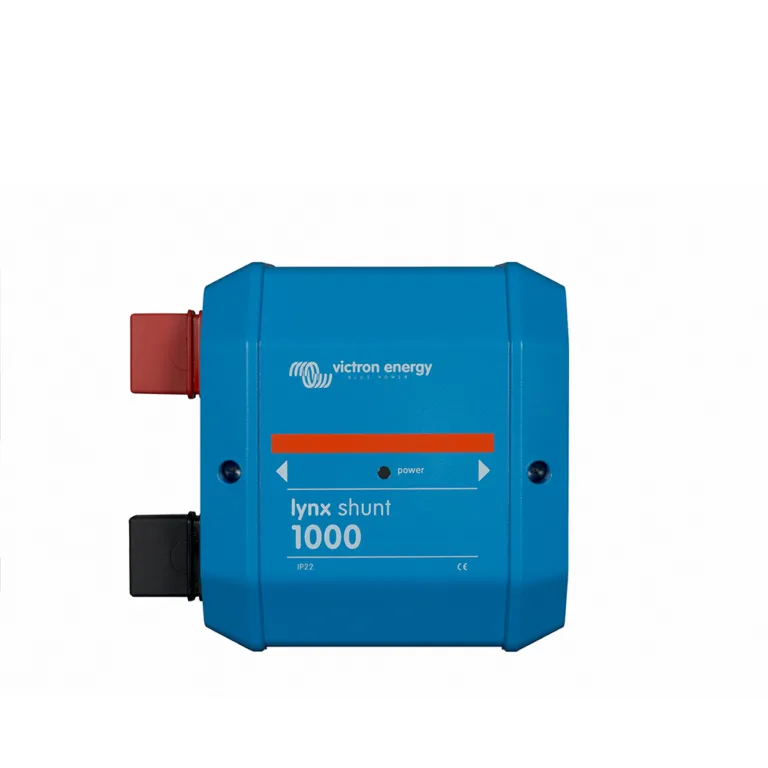
Some bigger systems are built around Victron’s Lynx distribution. There, the Lynx Shunt VE.Can does the monitoring job inside the Lynx line. You then read it through a GX device such as a Cerbo GX.
Fitting a battery monitor: workshop or Self-Build
There are two ways to get a monitor set up properly.
Fitted at our Witherslack workshop. We fit and set up the monitor as part of a supply-and-fit job, alongside the battery, charging and inverter work. Every connection is torqued to the maker’s figure and torque-pen marked. We do that in-house on all our installations, and we advise customers to do the same in our cable termination and installation guide. See our campervan electrical installation, motorhome electrics and pre-built campervan electrical systems pages. We’re now booking installs from February 2027.
Build it yourself. With our Self-Build package, Tom designs a custom kit for your van after a consult, and the monitor is part of it. The Self-Build Package is worth £500 and comes included when you buy your kit through us. In-stock items are usually dispatched in 1 to 2 working days. Start with planning your campervan electrical system, and once it’s in, run through our basic visual checks and testing.
Already have a system? Our inspection and testing service is the place to start.
Book your free 30-minute call with Tom.
Battery monitor FAQs
Do I need a battery monitor in a campervan?
Yes, if you want to know how much charge you really have. A shunt-based battery monitor counts every amp in and out of the leisure battery. So its state of charge is far more reliable than a voltage reading, especially with lithium, where voltage stays steady until the battery is nearly empty. CAN-bus batteries can report that figure without a shunt. A monitor also keeps a history.
Where does the shunt go?
On the battery negative, between the battery and everything else. In other words, the battery negative goes to the shunt’s battery side. Every load, charger and inverter connects to the system side, so all current passes through it. The chassis bond must sit on the system side too. If anything bypasses the shunt, the monitor can’t see that current and the state of charge drifts.
Is a BMS the same as a battery monitor?
No. The BMS inside a lithium battery protects the cells, and can disconnect them if limits are crossed. In contrast, the monitor only measures and reports. It tells you how much charge is left and how the bank has been used, so you can act before the BMS has to. On some batteries the BMS also sends that report to the GX over CAN.
Should I choose a SmartShunt or a BMV-712?
Choose a SmartShunt if you’re happy reading the battery on your phone and want the least wiring. Choose a BMV-712 if you want a display on the wall, an audible alarm, or a relay that can switch something off. Both measure the same way, connect by Bluetooth and talk to a Cerbo GX. If your battery already talks CAN to the GX, you may not need either for leisure-battery state of charge.
Why does my battery monitor never reach 100%?
Usually the settings don’t match the battery or charger. The monitor only resets to 100% when the battery reaches the set charged voltage and the charge current falls below the tail current for long enough. If the charger stops early, or the values are wrong for lithium, it won’t sync. See lithium not charging while driving.
Does a battery monitor drain the battery?
Only a very little. Victron lists the SmartShunt and BMV-712 current draw as under 1 mA. Even so, a small draw can harm a lithium battery left flat for days. For safety we fit an isolator and advise switching the system off for storage. For battery preservation, though, we often recommend leaving the loads isolated and letting solar trickle-charge the leisure battery. See winterising your campervan.
Can a battery monitor read my starter battery too?
Yes. The SmartShunt and BMV-712 both have an auxiliary input. With a SmartShunt we often use this to monitor the vehicle’s starter battery. It can also take a temperature sensor or a midpoint reading instead. It reads voltage only for that second battery, not current or state of charge.
Sources
- Victron SmartShunt product page
- Victron BMV-712 Smart product page
- SmartShunt datasheet
- BMV-712 Smart datasheet
- SmartShunt manual
- BMV-712 Smart manual
- Victron Lynx Shunt VE.Can
- Victron Professional presentation: Lithium and other batteries (27 May 2020), “Steady battery voltage” / no significant voltage drop under large discharge
- Victron Professional presentation: Batteries and battery monitoring (13 May 2020), voltage monitoring limits and state of charge
- Fogstar Drift RANGE Manual 2026: bulk charge 14.2 V to 14.4 V; Gen2 Victron GX / CAN integration
About the reviewer: Tom Alderdice
Tom holds the 18th Edition (BS 7671) and inspection and testing qualifications, plus NCC training in caravan and motorhome electrics.
Tiny Build Electrics is an Authorised Victron Energy Installer. See Tom’s full qualifications